Handover · October 2026 · 6 min read
The Dubai Smart Home Handover Pack: What You Should Be Given
Drawings, schematics, project files, passwords, warranties, manuals and portal access. If your installer cannot hand these over, you do not own your system yet.
The short answer
A finished smart home should be handed over with seven things: as-built drawings, schematics, the project files and their backups, every password and credential, the warranties, the operation and maintenance manuals, and access to a portal where all of it lives. Without them the house works until the day it does not, and then nobody can fix it without starting again.
This is the checklist we hand over on every Dubai project, and the one we use to audit systems other companies installed. Ask for it before the final payment.
The checklist
Seven items. Each one is short to describe and expensive to be without.
| Item | What it is | Why it matters |
|---|---|---|
| As-built drawings | Floor plans marked with every device, cable route and rack position, as installed, not as designed | The next engineer finds things without lifting ceilings |
| Schematics | Single-line diagrams for lighting, AV, network and security; the rack elevation | Faults are traced on paper before anyone opens a panel |
| Project files and backups | The Control4 Composer project, Lutron HomeWorks or RadioRA 3 project, KNX ETS project, Crestron code; each with a dated backup | Without them the programming cannot be changed or recovered |
| Passwords and credentials | Controller, processor, router, switches, cameras, recorder, apps and cloud accounts, with the owner as the account holder | The house belongs to whoever holds these |
| Warranties | Manufacturer warranty terms and dates per device, and the installer's own workmanship warranty | A failed device inside its term is replaced, not bought again |
| O&M manuals | How to use the system day to day, what to do when it misbehaves, what to check before calling | Fewer calls, faster fixes, a household that knows its own house |
| Portal access | One place online holding all of the above, with the equipment register, network detail and service history | Documentation that lives in a folder on a laptop is not documentation |
Drawings and schematics
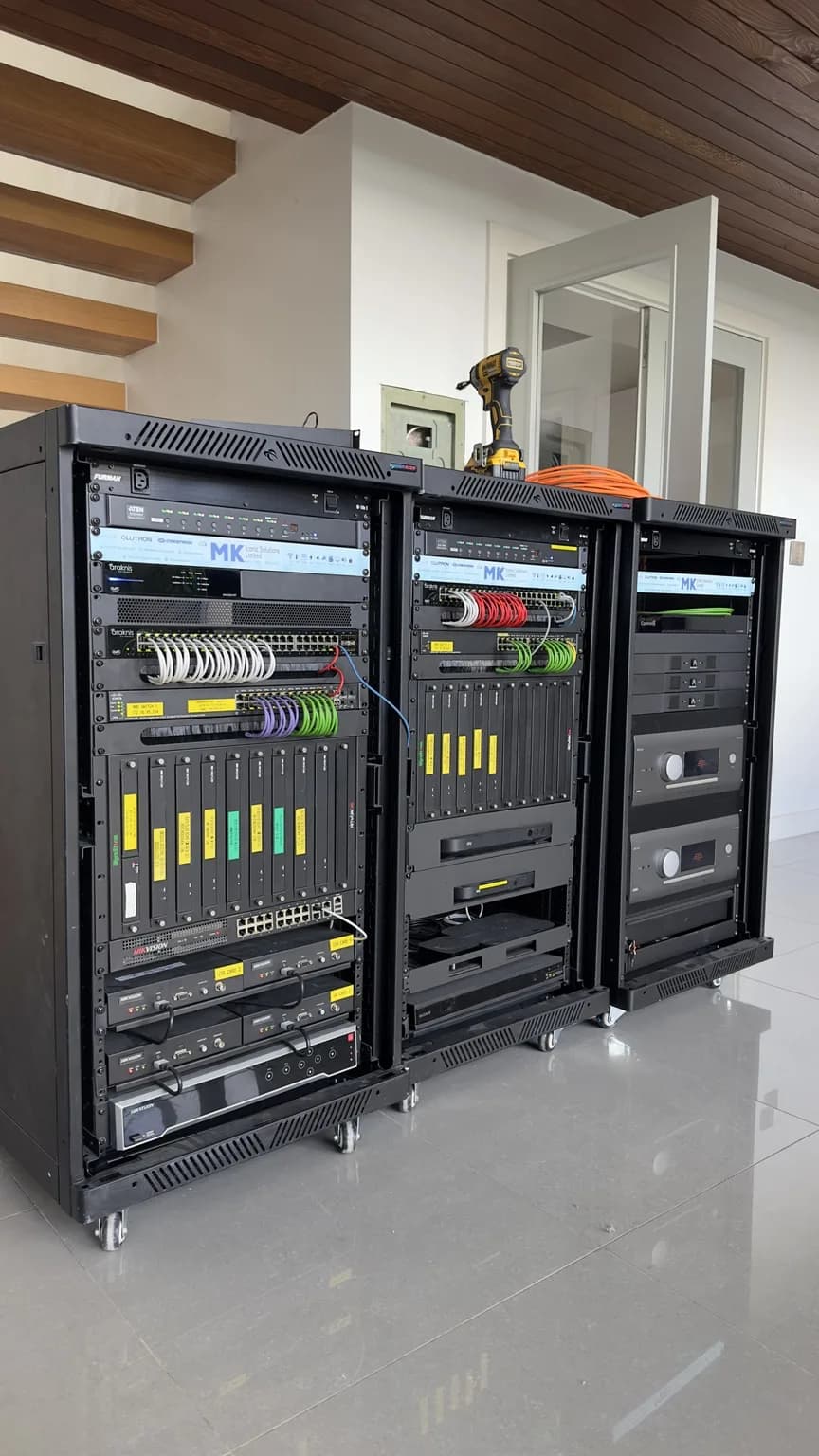
The drawings must be as built. A design drawing shows where the installer meant to put things; an as-built drawing shows where they went after the joinery moved and the ceiling void turned out to be full. On a villa that means marked-up floor plans with every keypad, sensor, speaker, camera, access point and cable route, and a rack elevation showing what sits on which shelf. Schematics are the single-line diagrams behind them: lighting circuits to dimmers, AV sources to displays, the network topology, the security loop. We produce ours at the design stage, revise them as the site changes and hand over the final revision.
Project files and their backups
This is the item most often missing, and the one that decides whether a house can be rescued. Every platform has a project file: Control4's Composer project, Lutron's HomeWorks or RadioRA 3 project, the KNX ETS project, Crestron's compiled and source code. It holds every device, binding, scene and schedule. A departing installer who takes it with them leaves the next company reading the system back from the devices, which is possible but slow, and on some platforms incomplete. The pack should hold the current file and a dated backup, and the house should keep a copy where it belongs: on KNX, in the panel.
Passwords, credentials and who owns the accounts
Every device with a login goes on the list: controller and processor, router and switches, access points, cameras and the recorder, the door entry, the streaming boxes, and every cloud account the system uses. The owner must be the account holder on the cloud services, with the installer as an authorised dealer, not the other way round. Control4 and Lutron both allow this; a system registered to the installer's own account is one of the first things a takeover has to undo. In our Client Portal the credentials are stored encrypted, per property, with per-user permissions, so the household can share access without sharing a spreadsheet.
Warranties and manuals
Warranties are per device and per manufacturer, and they start on different dates. The pack should list each device, its serial number, its warranty term and the date it began, alongside the installer's own workmanship warranty and what it covers. The operation and maintenance manuals are the plain-language part: how the scenes work, what the keypads do, what to check when the Wi-Fi drops or a room will not cool, and what to send us before calling. A household that has read four pages calls less and gets fixed faster.
Portal access
None of the above is useful in a ring binder in the plant room. Our handover ends with the whole pack in the Client Portal: the equipment register with warranties, the drawings and project files, the encrypted credentials, the network health and smart home status, service reports and the support tickets, in English and Arabic. It is the same portal Iconic Care™ runs on, so the documentation stays current as the house changes rather than freezing on handover day.
If you never got a handover pack
Most Dubai homes did not. If your installer is still in business, ask for the seven items above in writing; a good one will have most of them. If your installer has gone, the pack is rebuilt as part of a takeover: an audit reads the system as built, the project files are recovered from the devices, the credentials are reset with you as the owner, and the whole record goes into the portal. For developers specifying a building, the pack is written into the specification so every unit is handed over the same way.
Questions we get asked
What documents should I get when my smart home is handed over?
As-built drawings, schematics, the project files with backups, every password and credential with you as the account holder, warranty terms per device, operation and maintenance manuals, and access to a portal that holds all of it.
My installer says the project file is their property. Is that true?
The programming was paid for by you and runs your house. Reputable dealers hand it over; the manufacturers' dealer programmes expect it. If a dealer refuses, a certified dealer can still take the system over, but the recovery costs time that a handed-over file would not.
Can the pack be rebuilt for a house that never had one?
Yes. It is the first output of a takeover audit: the system is read as built, the project files recovered, the credentials reset and the record built in the Client Portal.
Is portal access really necessary?
A folder on a laptop is lost with the laptop. A portal keeps the record current as the house changes, gives every user the access they need and nothing more, and is where the support team works from when something needs fixing.